It helps you make smarter business decisions. Good accounting software gives you a clear view of your cash flow and taxes. It is one of the best software programmes you can invest in. You don’t have to spend hours going through spreadsheets; it gives you automated reports.
You should choose software that fits your budget and supports your needs. This guide will help you compare the accounting software costs for small businesses. Please read on.
Why Understanding Accounting Software Costs Matters for Small Businesses

It’s not just software; it’s a virtual machine that lets you see all your money in real time.
1. What Small Businesses Spend on Accounting Software Annually
Your accounting software budget range depends on what your business needs. The cost for basic tools is low; however, advanced tools cost more.
The total cost can increase because of:
- Adding extra features.
- More fees for more users.
- Training costs.
- upgrade charges.
2. How Cost Affects Budgeting, Profitability, and Scalability
Budgeting: Software is a recurring expense. If you underestimate the real cost, it will strain your monthly budget. Go for the software for steady, predictable pricing plans.
Profitability: Good software saves your time and automates invoicing and expense tracking. This means you get to hire fewer staff members and save tonnes of money from salaries.
Scalability: As your business grows, you will have to handle more money. Some software might start charging you more as you start adding more money. Don’t wait for that; plan ahead. Choose a software plan that lays out all the scaling costs.
3. Common Mistakes When Estimating Software Costs
Business owners like you sometimes make the mistakes stated below:
- Just checking out the only monthly subscription and ignoring other hidden charges.
- Paying for extra features you don’t even use.
- Ignoring the costs of support & training.
- Forgetting that adding users or integrations can raise the price
The biggest mistake you can make is just focusing on price instead of the actual value.
Typical Pricing Models for Small Business Accounting Software
1. Subscription-Based Pricing (SaaS)
Usually, the most common model these days. You just have to pay a monthly fee.
How it works: You just have to log in through a browsing app. The provider handles everything else. You can connect other tools, like your banking app and CRM, with it as well.
What to expect:
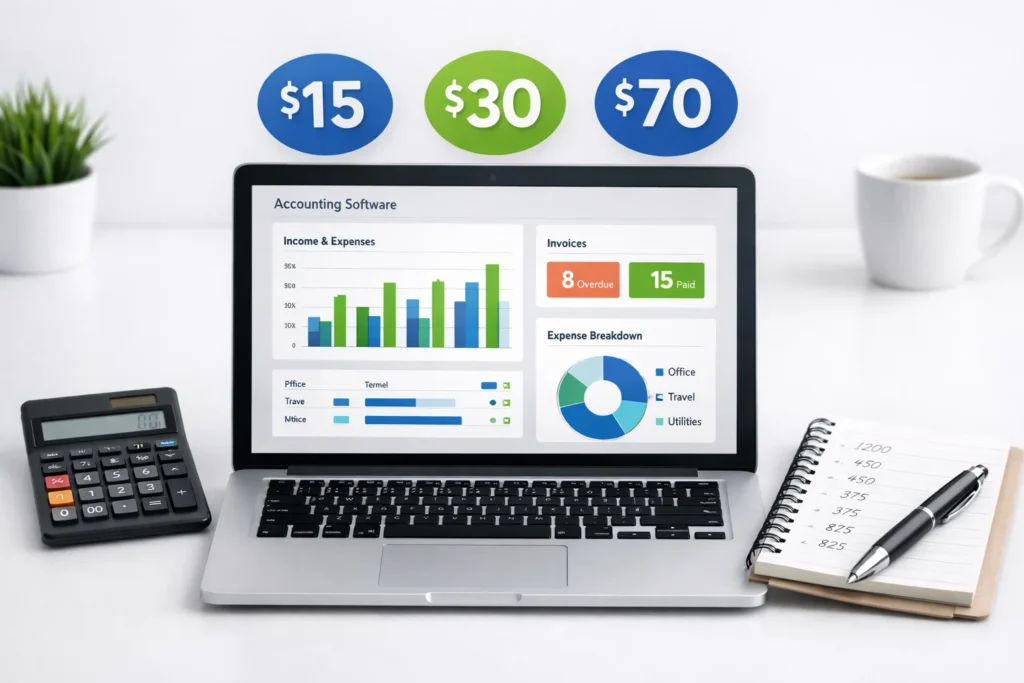
- You can just start with a simple plan for $15-$30 per month.
- You might have to pay more for payroll, advanced reporting, or multiple users.
- Some platforms might hand out free versions.
Pros
- You have to pay less at the start
- Most of the software auto-updates.
- You can use them almost anywhere
- You can add more features if your business expands.
Cons
- Expenses might be added later
- You might have to pay extra for advanced features.
2. One-Time Purchase Software
The classic approach is to buy the software license once and use it on your own computers.
How it works:
You pay once and use the software on your own computers. Updates, backups, and security are mostly your responsibility. Cloud and on-premise options still exist.
What to expect:
Higher upfront costs
Possibility of additional costs for updates, support, and more users
Pros:
- No subscription costs (at least not now)
- More control over your data and system setup
Cons:
- Expensive upfront costs
- Possibility of additional costs for updates and support
- Difficult to access remotely
- The possibility of software becoming outdated without updates
3. Tiered Pricing (Basic, Pro, Enterprise)
Most accounting tools use a mix of software-as-a-service with stepped plans, so you can pick a package that suits where you are in your journey.
How it works:
Each of the levels bundles a different mix of features, limits, and support.
Typical setting:
Basic
- Core bookkeeping, invoicing, and expense tracking
- Great for freelancers and very small businesses
Pro / Growing
- Adds payroll, advanced reporting, more users, and integrations
- Designed for growing teams
Enterprise / Advanced
- Multi-entity reporting, deeper analytics, higher automation, priority support
- Suited for complex or rapidly scaling operations
Accounting Software Cost Comparison Table for Small Businesses (2026)
| Available Price Model | Average Costs | It’s Best For | What is included in it | Hidden Costs to Avoid |
| Subscription Based Software | It’s usually $15 to $70 per month | If you are a freelancer, have a startup, or are part of a small team | You get lots of options like cloud access, invoicing, and expense tracking | You might have to pay for Payroll add-ons, extra users, and integrations sometimes |
| A Software you only have to purchase once | $200 to $1,500 upfront | If you want your Business to have full data control | No recurring subscription at all, plus all core accounting features. | Paid updates, support fees, security, backups, and limited remote access |
| Tier Based Software | $15 to $30 per month | It is best for Freelancers & solo founders | You get Bookkeeping & invoicing. | The issue is you may have only Limited users, & no payroll. |
| Free Accounting Software | $0 | If you are just starting its for very small businesses or testing | Features include Basic invoicing & expense tracking | The problem is Limited features, paid upgrades, weak support, scaling limitations |
Factors That Influence Accounting Software Costs
1. Number of Users and Seats
If you add more users to the software, you will have to pay more.
Cloud accounting tools will charge you per user per month. Or might get a bundle offer for several users.
As your business expands, you will have to:
- Buy a bigger plan.
- Buy access for more users.
You might have Finance managers, accountants, auditors, and other team members who need access. Sometimes this is only available in higher-priced plans.
Add-On Features
In general, the essential features, such as invoicing, tracking expenses, and reporting, are included in the plans. However, when you need more than just bookkeeping, you have to pay extra.
Examples of add-on features that you might have to pay extra for:
- Payroll services
- Inventory management
- Accounting for projects
- Advanced reporting
- Tax services
- Multi-entity or multi-currency support
These extra features are sometimes referred to as “modules” or “advanced features.” They might require you to pay extra in one of the following ways:
- Upgrade to a different plan
- Pay an extra monthly charge
- Pay a one-time charge for customization
Although the lowest-cost plan might look appealing, you might realize that some essential features that you need are only available as an extra charge.
Integration Needs
Accounting software doesn’t always operate in isolation; it may need to communicate with other applications you are currently using, such as:
- CRM solutions
- Inventory management solutions
- E-commerce solutions
- ERP solutions
- Payment solutions
Accounting software with robust integrations tends to be more expensive as it provides more value for money. If such integrations are not available, you may need to use:
- Third-party solutions
- Custom solutions
- Ongoing support
If you use multiple applications, then integration is not an option, but a requirement. Using cheaper accounting solutions with poor integrations may ultimately prove to be more expensive in the long run.
Tips to Get the Best Value for Your Money
- You can automate your bookkeeping tasks
Take advantage of software that can automatically perform tasks such as bank reconciliation, categorisation of transactions, and reporting. This saves you a lot of time and effort.
- Cut down on human errors
Automatic calculations and bank feeds can prevent common errors such as incorrect data entry. This can cause problems such as tax issues and financial losses.
- Reduce transaction fees
Look for software that can integrate with low-fee banking options. Avoid additional bank charges such as wire transfer fees by using local bank transfers.
Do not convert unnecessarily
If you deal with international clients and suppliers, use software with multi-currency capabilities. This way, you can avoid losing money due to currency exchange.
- Use your card
Get a business credit card with a rewards programme and use it to pay for business expenses such as software, ads, and office supplies. This can save you money.
- Eliminate unused subscriptions
Take advantage of reporting features in your accounting software to identify unused subscriptions. This can save you money.
- Prevent paying late
Automate bill tracking and payment reminders to avoid interest charges, vendor penalties, and service disruptions.
- Improve your Cash Flow & Invoicing
With built-in templates and online payment links, customers can make payments more quickly. Faster payments mean you don’t have to rely on loans or credit.
- Attach your Bank to your Accounting Systems
Direct integrations with popular accounting software like QuickBooks or Xero mean no double data entry and reduced bookkeeping time to minimise your labour expenses.
- Use exact Categories
- A clean chart of accounts means no incorrect expense postings or costly corrections from an accountant.
- Track Your Expenses in Real-Time
Dashboards provide instant visibility into where your money is going to prevent overspending.
- Simplify Your Taxes
With automated expense categorisation and record organisation, you minimise the time spent by your accountant and the stress involved in tax season.
- Utilise the software to avoid hiring staff.
A good accounting software can handle growing transaction volumes, payroll processing, inventory management, and reporting without requiring you to hire too many people in your finance team.
Frequently Asked Questions (FAQs)
1. Why should I invest in accounting software?
Accounting software assists in monitoring income, expenditure, and cash flows. It also helps in generating invoices and reports.
2. What is the cost of accounting software for small businesses?
It varies based on the type of accounting software used.
Subscription-based accounting software: The cost ranges from $15 to $70 per month. It may be higher in some cases for payroll and other user-related costs.
One-time purchase accounting software: The cost may range from $200 to $1,500. It may be higher in some cases for additional user-related costs.
Tiered accounting software: The cost may range from $15 to $30 or more per month.
Free accounting software: The cost is zero. However, the features are limited.
3. Which factors influence accounting software costs?
There are many factors that influence the cost of accounting software.
Number of users
Additional features
Integrating other business software
Additional costs for support and other services provided by the vendor
4. Should I use free accounting software for my business?
It is a good option for small businesses. However, there are some disadvantages.
Fewer features
Slower customer support
Lack of scalability
Hidden costs such as paid upgrades
5. Which one should I choose: subscription or one-off purchase software?
– Subscription-based software: Lower cost to purchase the software, updates are included, and access to the software is available remotely.
– One-off purchase software: Higher cost to purchase the software, complete control over your data, updates and support may be an additional cost, and access to the software is available remotely.
6. How can I estimate my total annual accounting software budget?
Base cost of the software or license fees
Fees for additional users and add-on features
Support and training fees
Integration and upgrade fees
7. How can I get the best value from accounting software?
Automate bookkeeping activities such as reconciliations and reporting
Reduce human errors through automatic calculations
Reduce transaction fees through low-fee banking solutions
Real-time tracking of expenses and simplify tax preparation
Reduce the number of unused software or avoid late fees
Utilize the software to avoid the need for additional staff
8. Can accounting software help my business grow without hiring extra staff?
Yes! Good accounting software can handle growing transaction volumes, payroll processing, inventory management, and reporting efficiently. This reduces the need for a large finance team and keeps your overhead costs lower.