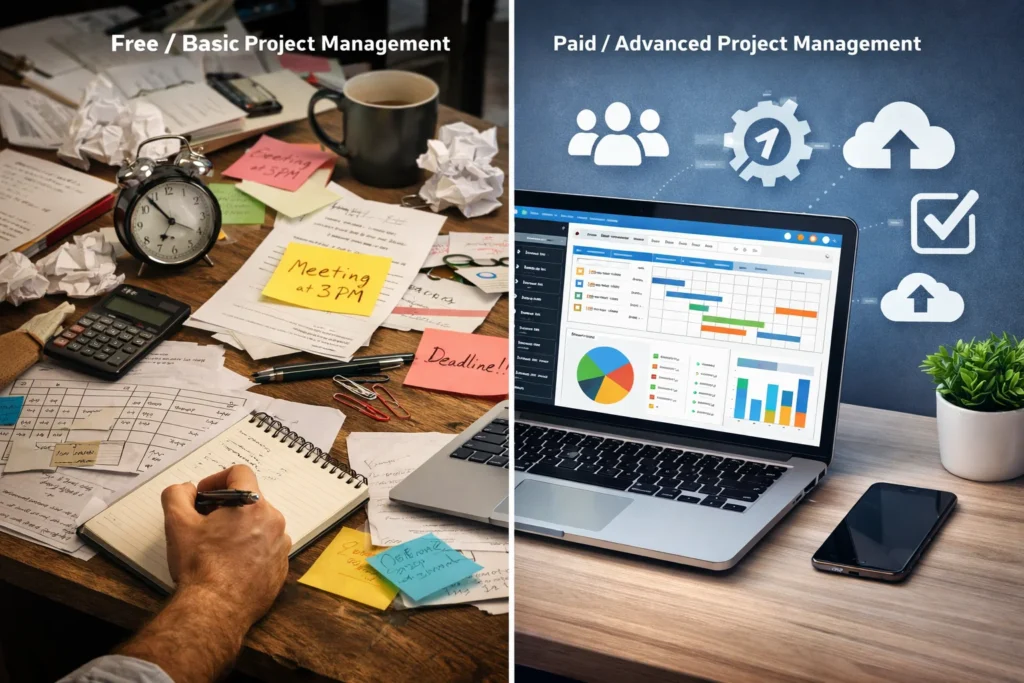
Project management software helps you plan tasks, manage deadlines, and collaborate. There are many types of project management software. There are simple to-do boards & advanced workflow systems. A lot of project success depends on managing it well; therefore, these softwares have become very popular. The right project management software will improve productivity and help you complete it faster.
Don’t think of software cost as just a price tag. Think about how it would affect your budget and the growth of your business.
As a start-up owner or a freelancer, chosing an over price software will eat up your profits. If you run a large company, choosing the wrong software can hinder your business’s growth.
By comparing free and paid options, you:
- Pay for features you need and skip features that are not for you..
- Can plan for long-term software expenses.
- Choose a software that matches your team size and business.
- Can avoid hidden software costs.
This guide will let you know
- When is it okay for you to use just free project management software?
- When it’s right for you to upgrade to paid software.
- How different software prices can affect your business.
- Best software for freelancers and business owners.
- Things you should know before selecting project management software.
Free Project Management Software Cost Breakdown
What “Free” Really Means
Usually, “free” means that you get software that is functional and has basic tools. It does not have advanced features. Many software companies like Trello, Asana, and ClickUp offer some free plans that let you and your team:
- Create simple projects and manage them.
- Assign tasks to different team members and set up due dates.
- Collaborate with other teams.
- Enable you to use basic views like list, board, and calendar
For example:
- The free Trello version lets you set up unlimited cards, but it limits the number of boards you can set up for each workspace.
- The free Asana version lets you create unlimited projects but then limits the number of users.
- On the free ClickUp version, you can create unlimited tasks, but storage & views are limited.
So you see, free versions have lots of limits.
Common Limitations of Free Plans
Freelancers and small teams usually think they can just survive on the free software; however, they soon run into restrictions. A few common restrictions are stated below.
User Limits: Most free software restricts the number of users you can add. For example, Asana’s free version only lets you add a small number of team members, and Jira only lets you add ten.
Feature Limits: The premium features might be free for the first few tries, but eventually, you will find them locked behind paywalls. Some features that might be locked are
- Charts and Timelines
- Auto analytics and detailed reporting.
- Time tracking.
- Custom dashboards.
Storage Restrictions: Storage restrictions are one of the most common restrictions that will sneak up on you. For example, file storage is restricted on ClickUp’s free version.
Automation Restrictions: Automation tools are mostly limited. For example, on Zapier, you can only perform a hundred automated tasks per month.
Hidden Costs to Watch For
Upgrades:
As your business grows, so will your team. It’s likely you will hit the user limit eventually. You might think adding a user for $5 to $20 isn’t a big deal, but those dollars will add up really fast.
Productivity bottleneck:
If you are relying on the free version, then you won’t have access to advanced reporting or time tracking features. This will create more manual work for you and your team.
Integration charges:
Integrating other apps into free management software is usually a paid feature.
Paid Project Management Software Pricing Explained
Typical Pricing Models
Most of the tools offer the same subscription model. But there are variations in the method of charging.
Per User Cost:
It’s pretty straightforward. You just have to pay a monthly or yearly subscription fee for your active team members. However, the costs can climb if you add too many members.
Tiers:
The tier pricing model offers payment for different tiers. Features are divided into tier bundles such as Basic, Pro, or Enterprise. Higher tiers usually have more advanced tools; typically, higher tiers also cost more.
Flat Pricing Model:
This pricing model offers a flat fee for a set number of users. This can be a good option if you are on a budget.
Pay as you go:
This one is simple: you pay for usage. However, the bills are not constant since the charges depend on your usage.
Average Cost of Paid Project Management Tools in 2026
Average Cost Ranges:
- Entry-Level Software: This will cost you about $4 to $15 per user/month.
- Mid-Tier Software: On average, it costs about $7 to $30+ per user/month
- Premium Software: The charges for premium software are about $30 to $50+ per user/month.
- Enterprise Software: It can cost as much as $100+ per user/month
Cost of Flat-Rate Plans:
- Entry: around $48/month
- Mid-tier: on avearge $92/month
- High-end: Up to $192/month
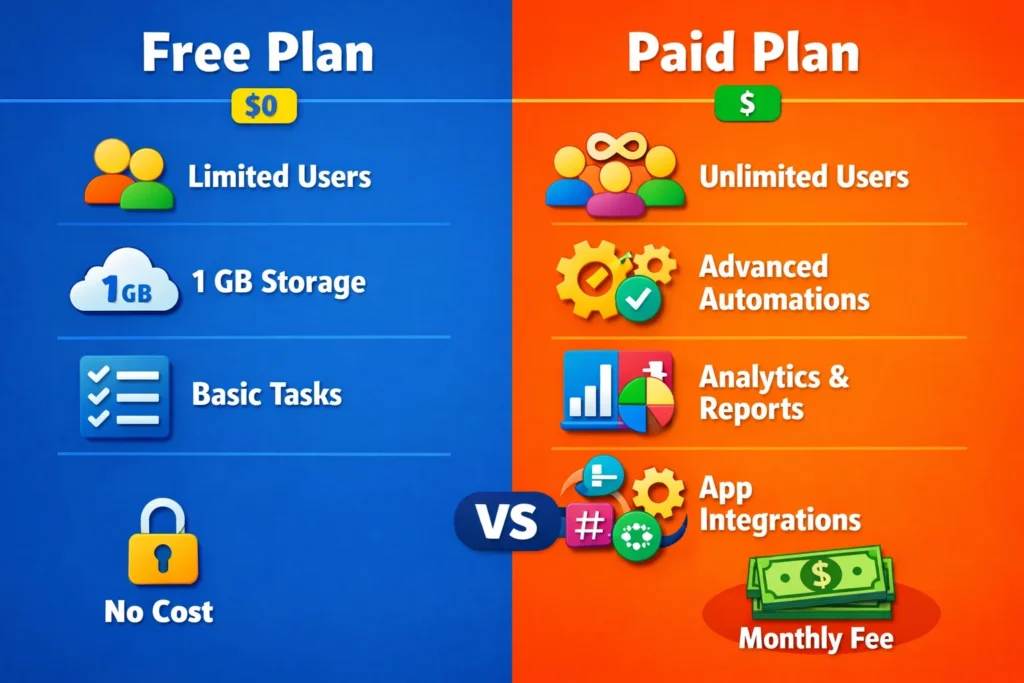
Free vs Paid Project Management Software Cost Comparison Table
| Feature Of Software | Free Project Management Software | Paid Project Management Software |
| Monthly Cost (2026) | $0 | It costs around $4 to $100+ per user/month |
| Who its Best For | It is for Freelancers, students, and very small teams | Best suited for growing teams, businesses, & enterprises |
| Number of User Limits | Users are usually limited to 5 to 15. | You get Higher limits or sometimes unlimited users |
| Task Management | You only get basic task boards and lists | Advanced workflows are available to you and your team. |
| Automation Features | Automation is usually very limited | You can access advanced and scalable automation. |
| Reporting & Analytics | Only Basic Reporting is available | Detailed dashboards and custom reports are enabled |
| Storage | Very Limited file storage is available to you and your team | Expandable storage is unlocked |
| Integrations | Limited integrations are allowed | You can integrate a wide range of apps |
| Support | Community or self-help | You get dedicated support that is available 24/7. |
| Scalability | It’s only for small teams. Not suited for growing teams | It’s built for scaling large businesses |
| Hidden Costs Risk | You will be charged for upgrading users and features | Hidden costs are Lower but they depend on the plan tier |
| Overall Value | It’s great for simple needs and freelancers | Better for business growth |
How to Choose Between Free and Paid Project Management Software
Key Decision Factors
Your team’s needs:
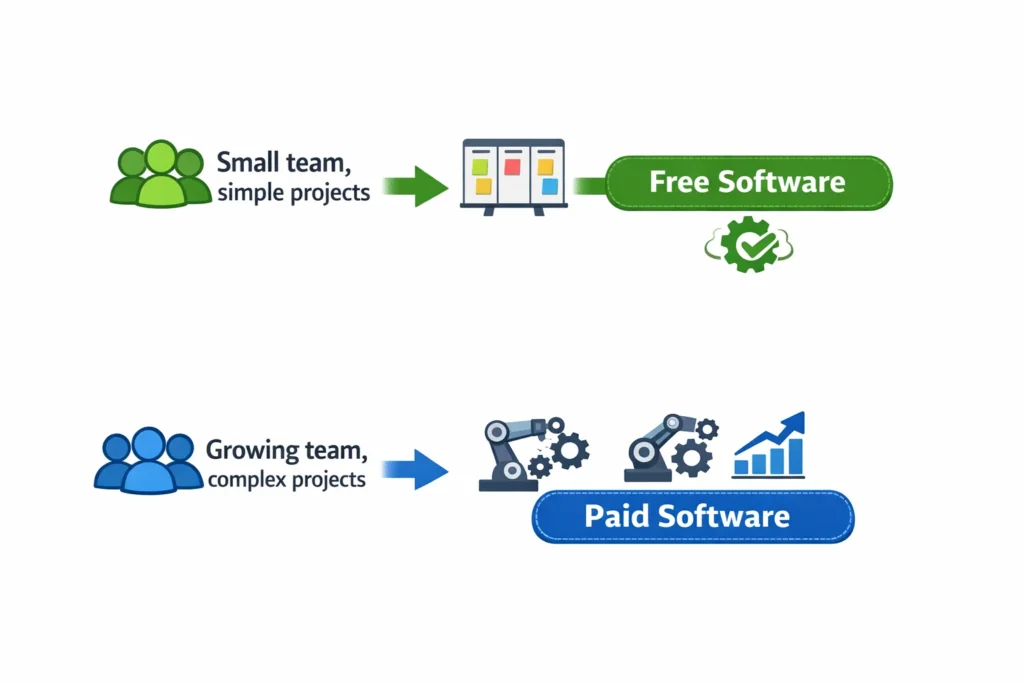
Only buy features your team needs. If your team only needs simple task tracking and basic collaboration, you can just stick to freeware. However, if advanced tools are needed, then paid options are better.
Project Complexity:
If you have a few minor projects under your belt. The free software can do the job easily. But if you have several complex projects lined up, then the paid option is much better.
Future Growth
Think 12 to 24 months into the future. Will your team grow? Will your free tool be able to scale with more users, more projects, and more complexity?
Budget vs. Return on Value
Think beyond just cost. Will this paid tool save me time, reduce my mistakes, and give me more visibility and control? Will this tool pay for itself? Yes, free tools are ideal when budgets are tight and complexity is low.
Quick Decision Checklist
Go for free software if you have a:
- A small team (10-15 users or less)
- Simple projects with low risks
- Basic task tracking is sufficient
- An extremely tight budget
- Something easy and fast to get going with
Invest in paid software if you have:
- Multiple projects or complex projects
- Need automation or more in-depth reporting
- A growing team
- Integration with other business tools is important
- Want long-term control and scalability
Tip:
Test 3-5 tools on real projects with your team. The best tool is not the one with the most features. It is the tool that your team loves working with every day.
FAQs About Free vs Paid Project Management Software Cost
1. Is free project management software really free?
Yes, but to a limited extent. Free plans usually come with limited features in terms of task management and teamwork. However, with an increase in the number of users, you may need to purchase additional features.
2. How much does paid project management software usually cost in 2026?
Most paid project management software costs between $4 to $30 per user monthly in 2026. However, premium features may cost between $50 to $100+ per user monthly.
3. How does a freelancer know that they need to upgrade to paid project management software?
A freelancer needs to know that they need to upgrade to paid software if free software is slowing them down. They need to track their time, create reports, and need to integrate multiple applications. If their workload is increasing, paid software would be very helpful.
4. What are the main limits of free project management tools?
Some of the main limitations of free project management tools are the number of users that can be accommodated, the storage space available, lighter automation features, fewer integrations, and limited reporting capabilities.
5. Is paying for project management software worthwhile for small businesses?
For small businesses, paying for project management software is worthwhile because these tools are likely to save you more time due to automation features, improve visibility of your team’s performance, and reduce the effort of creating reports.
6. Can small teams run projects successfully with free tools?
Definitely, small teams can run their projects using free tools since they are ideal for personal use and small teams with small workflow needs.
7. What hidden costs should I watch for in project management software?
Be on the lookout for user fees, integration fees, storage fees, and limitations on automation, which can quickly increase the cost of your project management software.
8. How do I decide between free and paid project management software?
The best way to determine whether to use free or paid project management software is to consider your team size, complexity of your workflow, and growth prospects.
Final Verdict: Free vs Paid Project Management Software
Choosing between free and paid project management software isn’t about just selecting the cheapest one. It should be more about what enhances your daily tasks.
Most of the tools available online offer more or less the same price. Free plans only offer basic tools. The paid ones can cost around $4 to $15 per user per month. The cost for Tier plans and Enterprise goes even higher.
Make a Decision
If you are still struggling to decide, use this simple mental shortcut:
- Start free if your workflow is simple and your team is small
- Upgrade to paid when limits begin slowing real work
Before you make the decision, you should test the tool on actual projects, not demos. The best choice will depend on the way you work now and the way you’re headed. Start small, grow on purpose, and let the way you work help you know when it’s time to pay, not the marketing pages.